Logo

Installation:

  • OpenTAKServer-Installer
  • Upgrading

Documentation:

  • Architecture
  • Public Server
  • Feature Comparison
  • Configuration
  • Let’s Encrypt
  • Data Packages
  • Security
  • Database
  • CoT Routing
  • Groups/Channels
  • LDAP
  • Certificate Enrollment
  • Mission API/Data Sync
  • Link TAK.gov Account
    • Linking an Account
    • Plugin List
    • Screenshots
  • Email
  • Authentication
  • ADS-B
  • AIS
  • Deleting Old Data
  • Device Profiles
  • Plugin Update Server
  • CloudTAK
  • Mumble
  • Symbology
  • Video Streaming
  • Meshtastic
  • Internationalization

API and Database Models

  • Marti API
  • OpenTAKServer API
  • Models

Server Plugins

  • Server Plugins

TAK Meshtastic Gateway:

  • TAK Meshtastic Gateway

OpenTAK ICU:

  • OpenTAK ICU
  • Streaming Protocols
  • Audio Codecs
  • Video Codecs
  • Recording
  • Encryption
  • Video Filters
  • IR Cameras
  • UVC Cameras
  • TAK Server
  • MediaMTX
OpenTAKServer
  • Link TAK.gov Account
  • View page source

Link TAK.gov Account

OpenTAKServer supports linking a TAK.gov account as of 1.7.0. This is the same as ATAK’s Link EUD feature and allows server administrators to query TAK.gov for ATAK plugins and download them. The plugins are then available for EUDs to download and install.

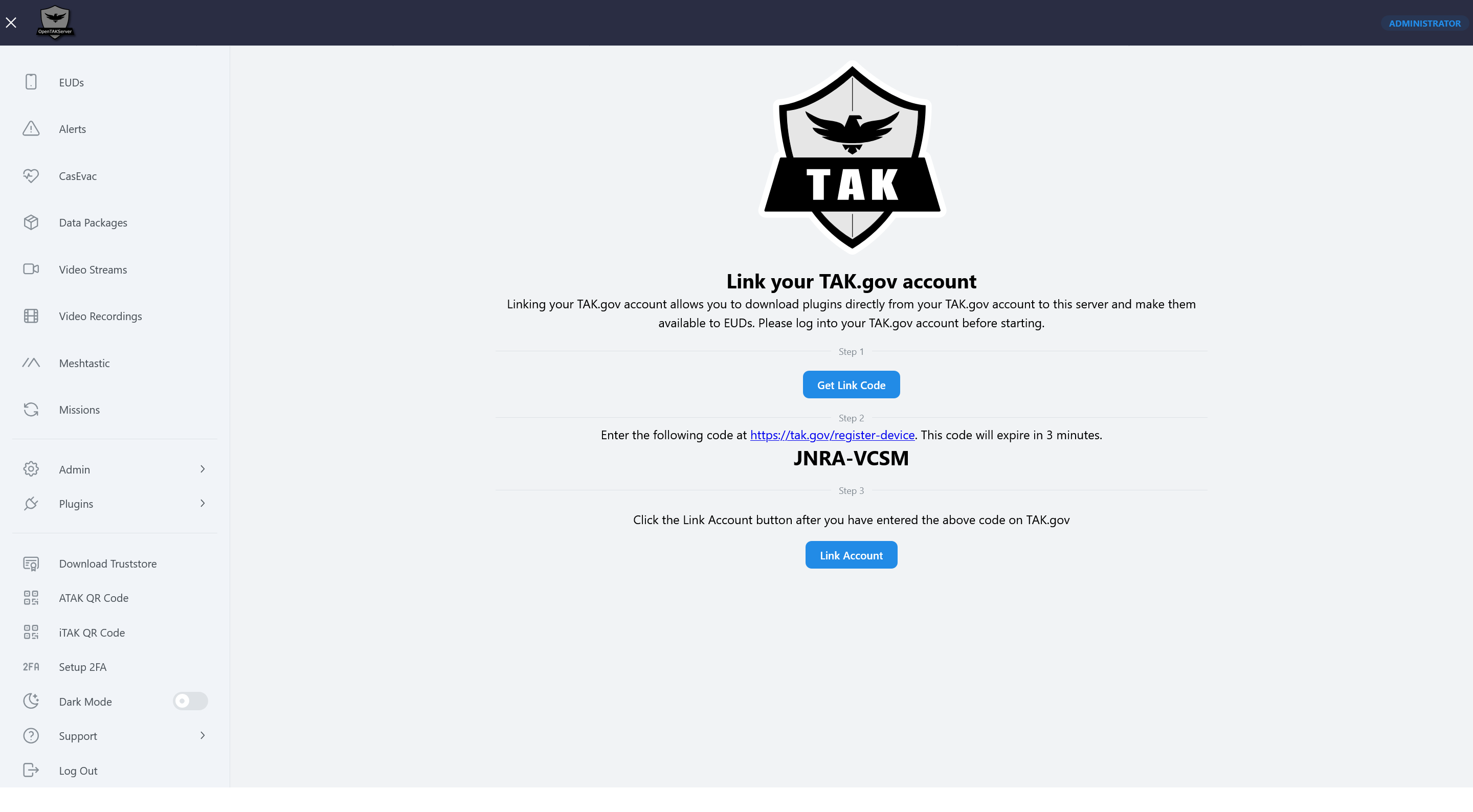
Linking an Account

Before starting, log into your TAK.gov account. Once logged in, follow these steps to link your account.

  1. Click on the Get Link Code button

  2. Enter the code at https://tak.gov/register-device. Note that this code will expire three minutes after it’s generated.

  3. Click the Link Account button

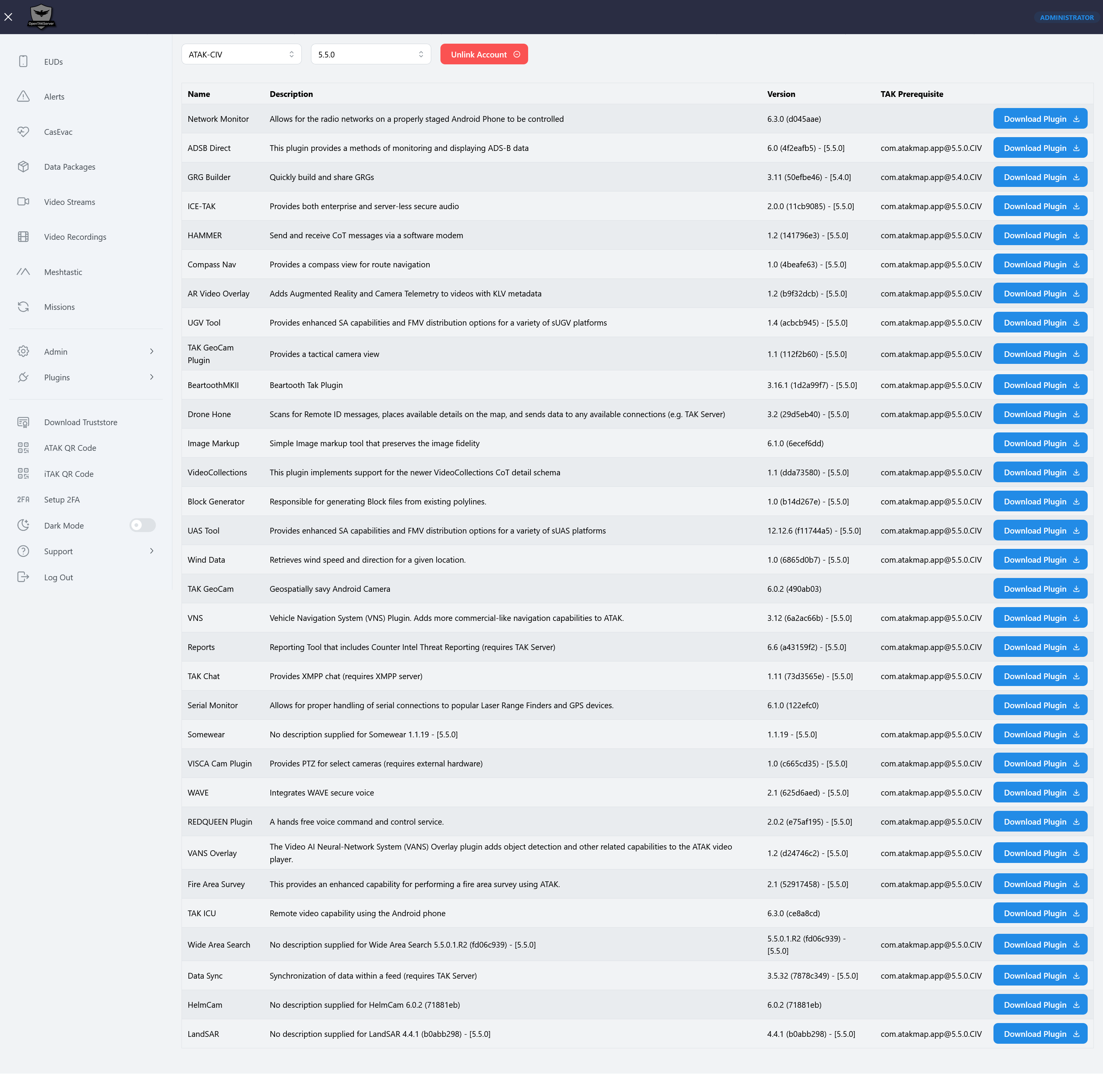
Plugin List

After the account is successfully linked, a list of available plugins will be displayed. Clicking the Download Plugin button will download the plugin to the server and make it available to EUDs to install. The ATAK version and flavor (i.e. ATAK-CIV, ATAK-GOV, and ATAK-MIL) can be selected. Note that you will only see the plugins that your account is allowed to see. If your account is only allowed to see ATAK-CIV plugins, selecting ATAK-MIL will not show ATAK-MIL plugins.

Screenshots

_images/link_account.png _images/link_account_plugin_list.png
Previous Next

© Copyright 2025, Brian Wallen.

Built with Sphinx using a theme provided by Read the Docs.